

How to activate Office 365 on your email
We purchase the product through the Office 365 link in your email.
After purchasing, you will receive the WhatsApp invitation link within 1-12 hours.
(The invitation is usually sent within 60 minutes)
Activation and acceptance of the invitation must be completed within 24 hours at most.
The invitation can be accepted from computer or mobile phone.
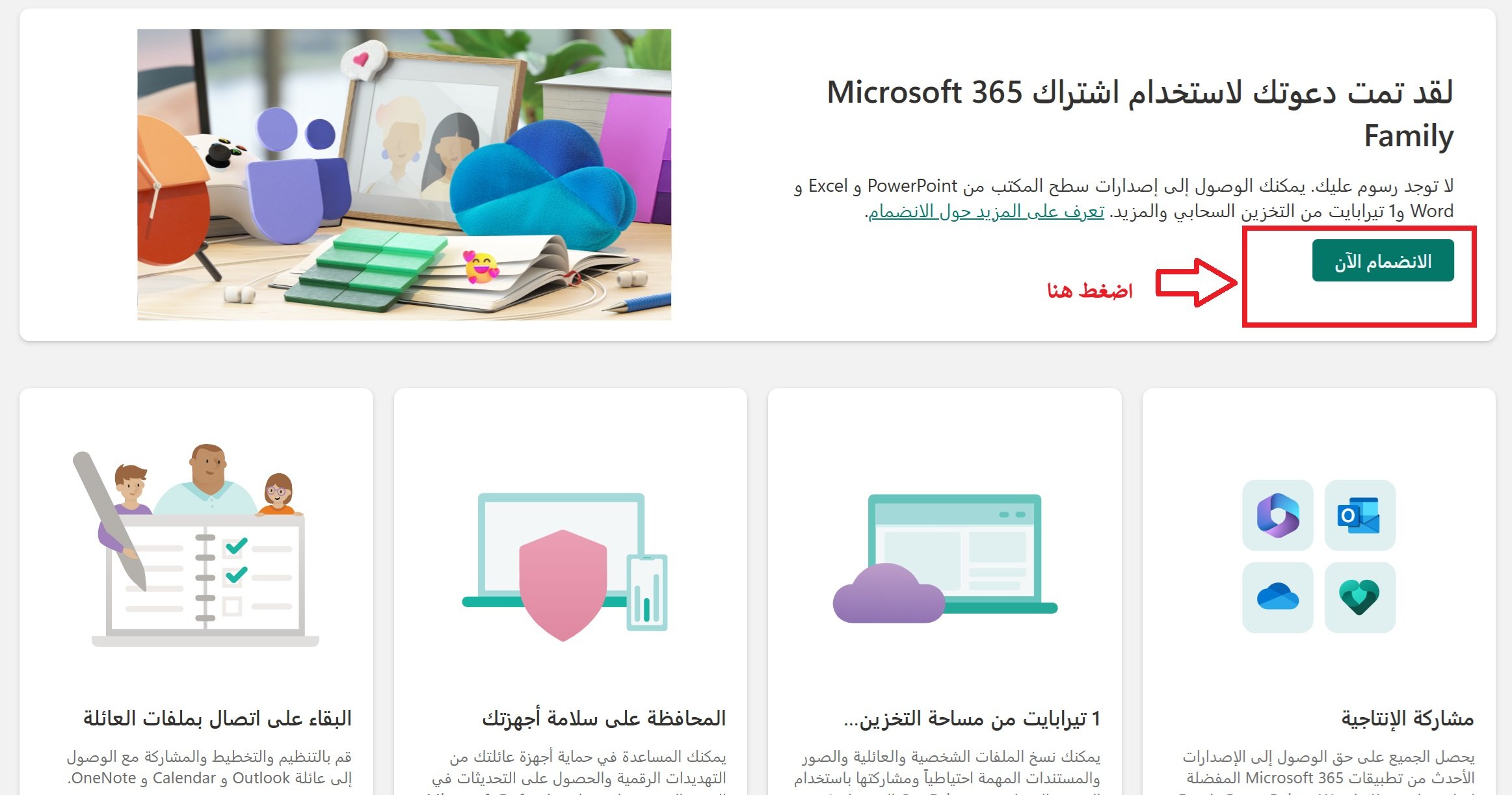
After sending you the invitation link, click on the invitation link.
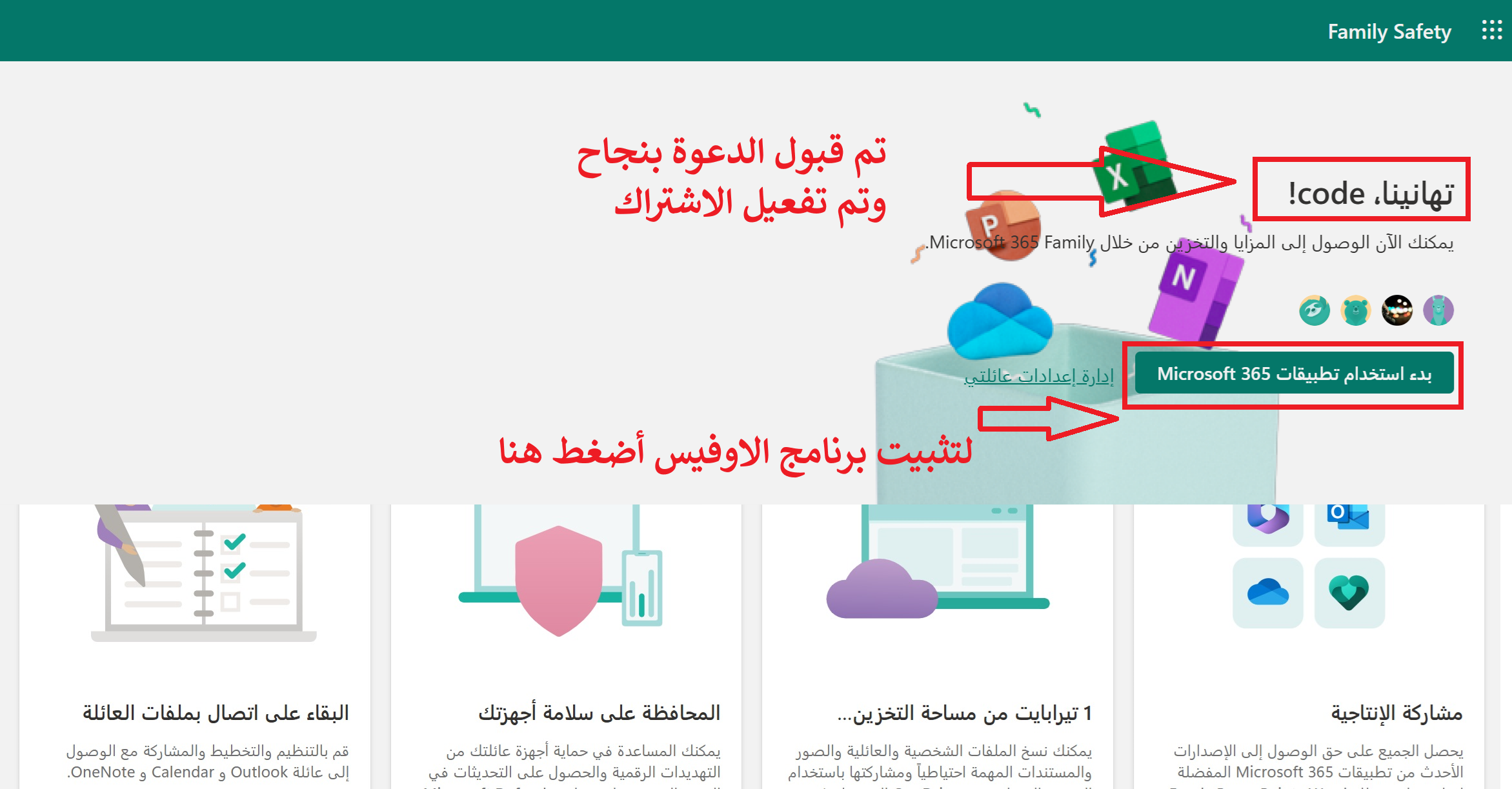
If you see this message, it means that the subscription has been successfully activated.
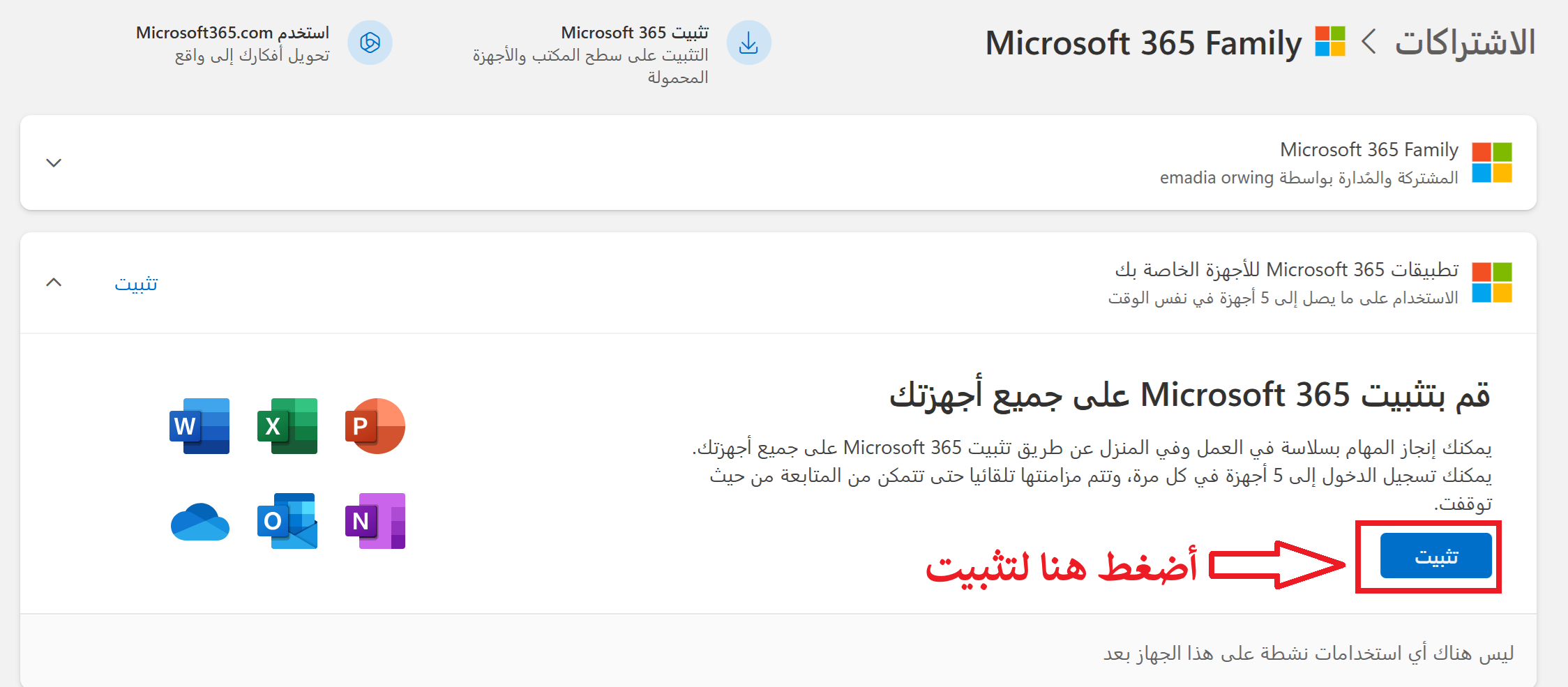
After installation, log in with the same email that accepted the invitation and activated it.