

How to activate and download Office 365
We purchase the account through the link ( Office 365 for life )
Important instructions before activation:
- The previous Office program must be removed from your device before activation (regardless of its type or version)
- To activate, you must use the same account sent to you by the store.
- To activate the login log in to the following link
https://login.microsoftonline.com/
Activation steps:
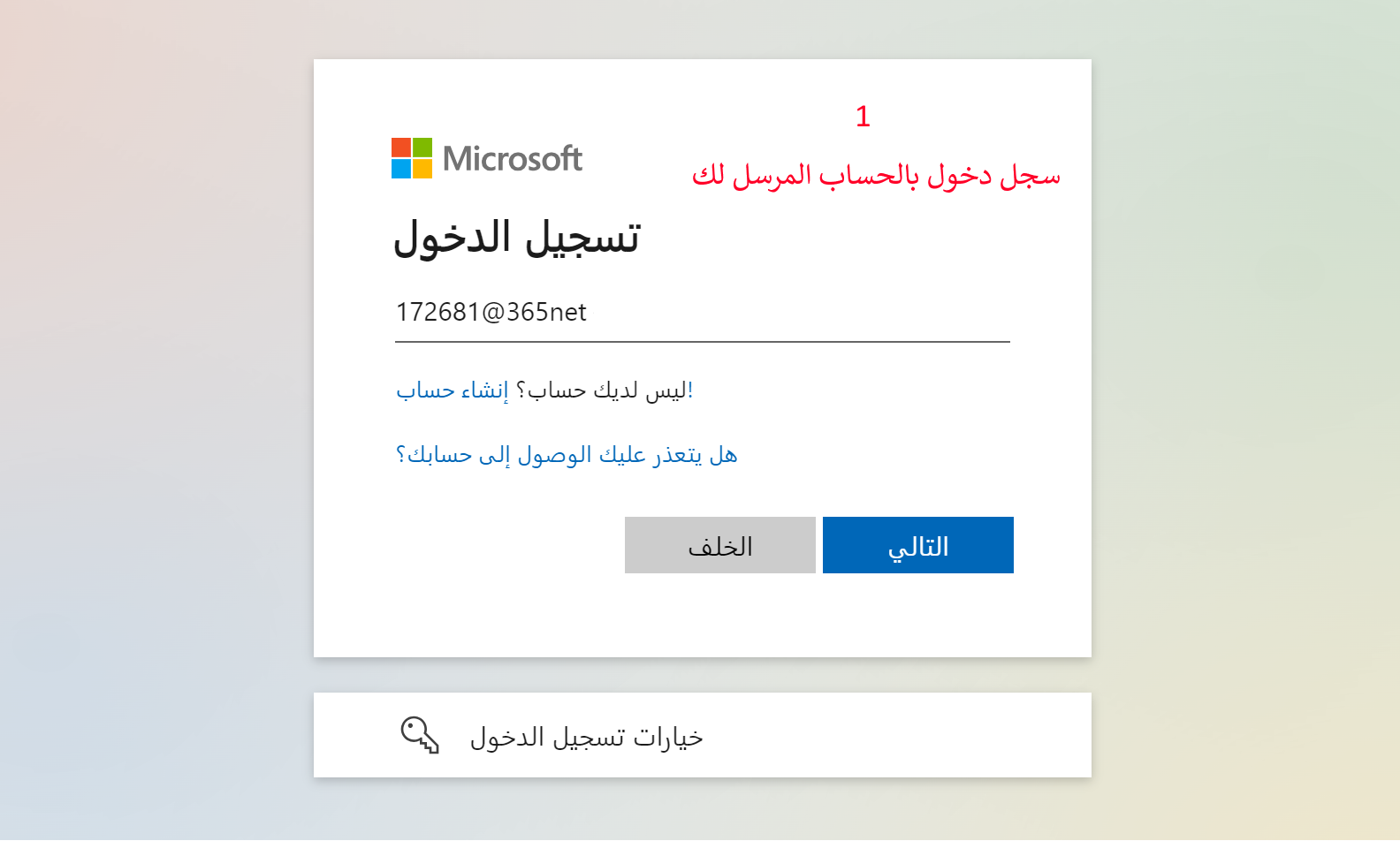
1- Log in with the account sent to you
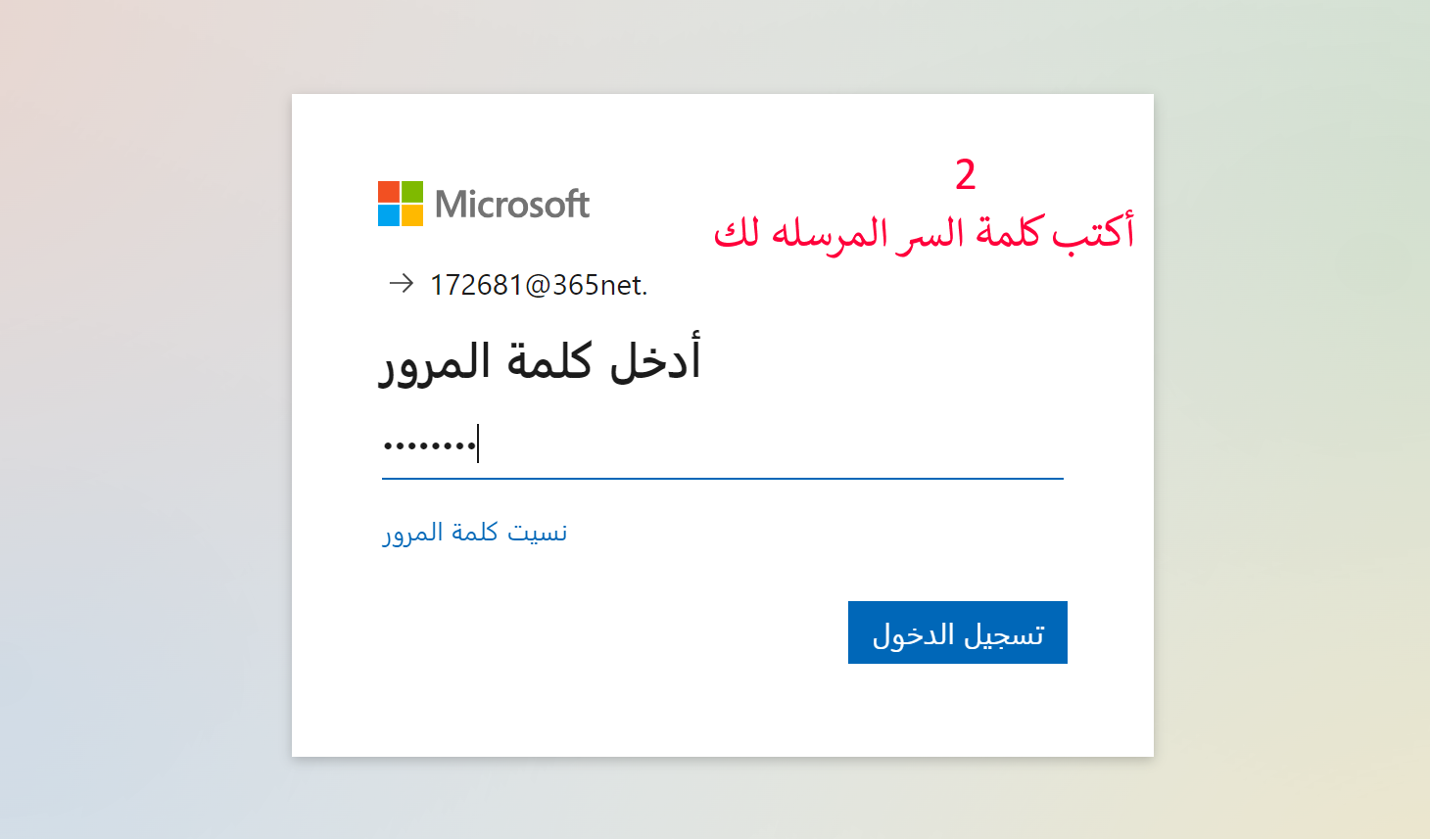
2- Type the password sent to you
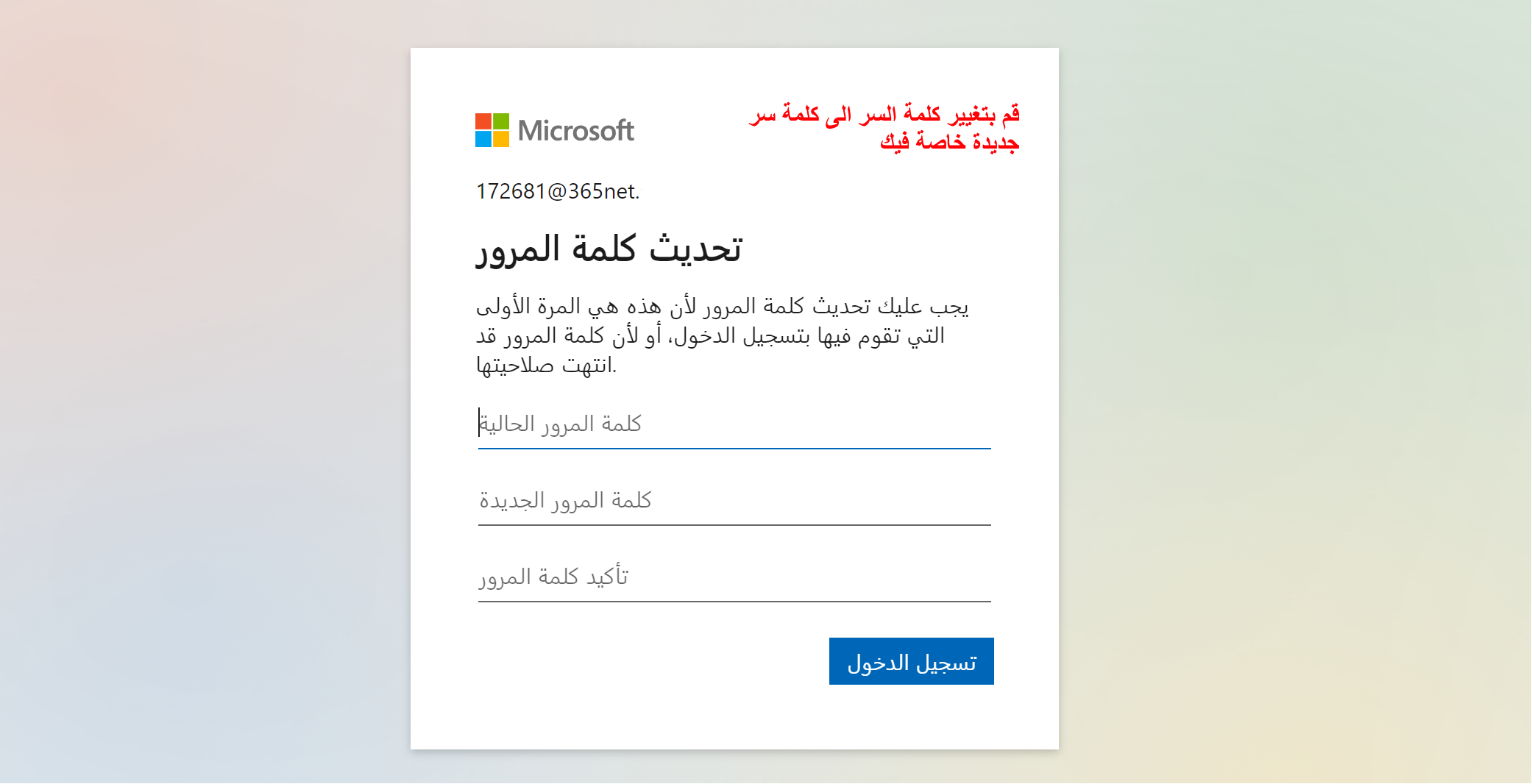
3- Change the password to a new password of your own.
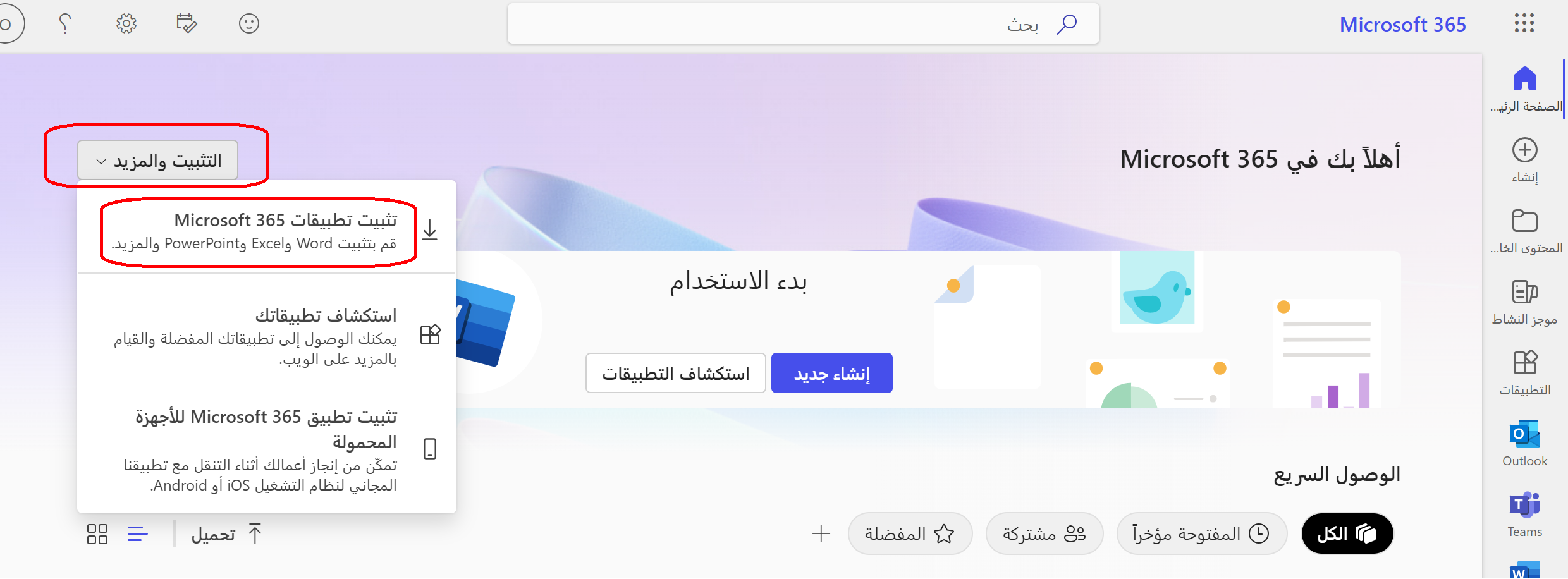
4- Install Office 365 on your device
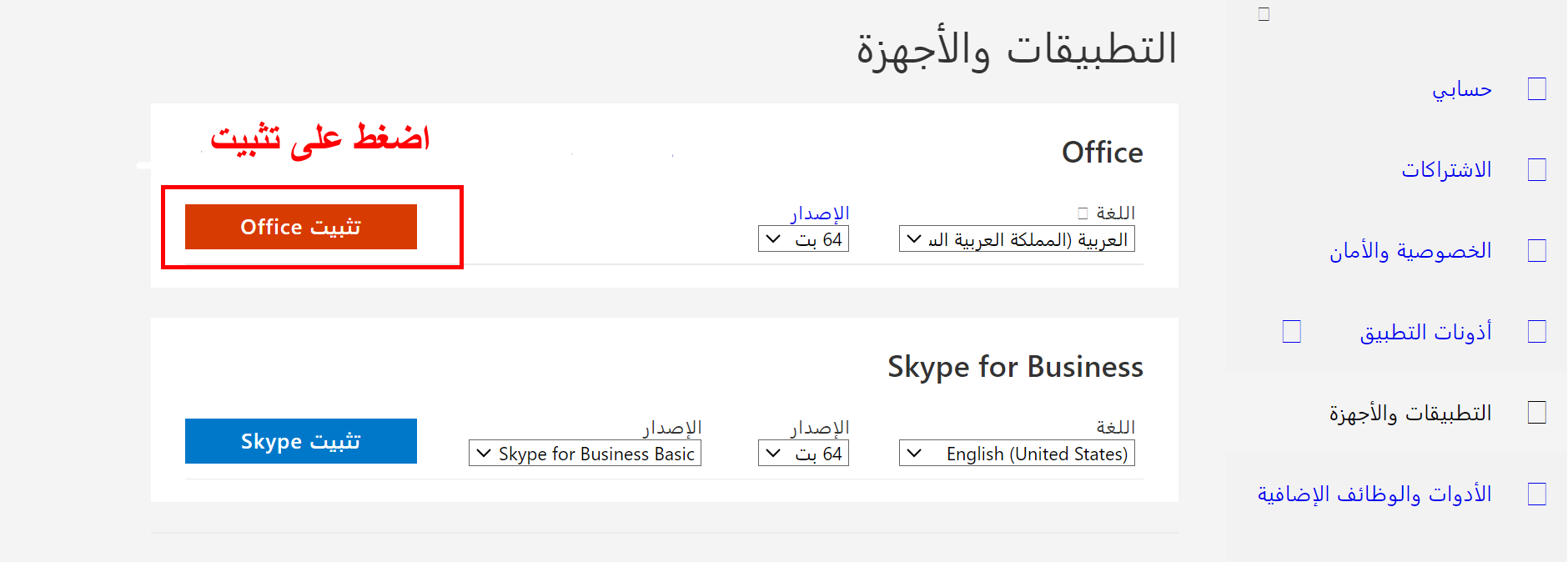
5- Log in to Office 365 with the same email sent to you and the new password that you changed.
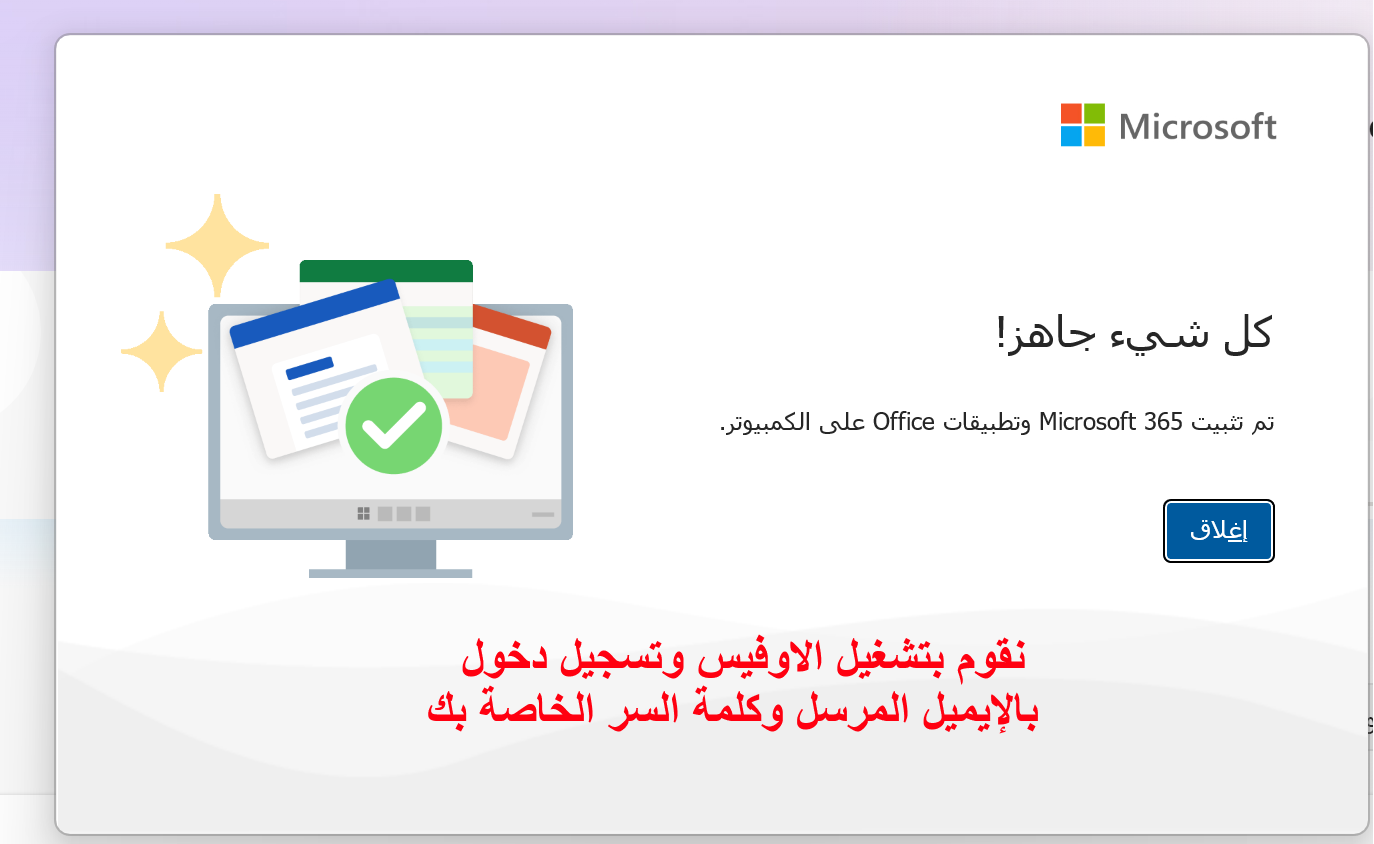
Congratulations, your activation has been successful.